Stay ahead of the monster swarm
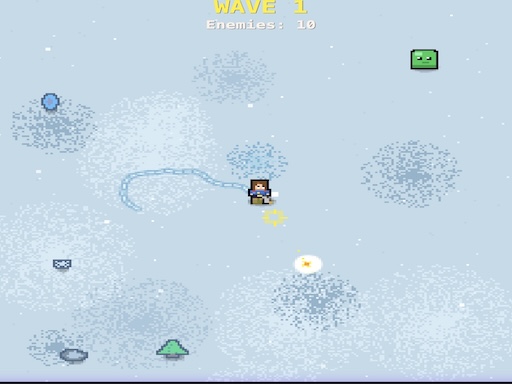
Monster Haul is a pixel-art survival arcade game. Move through the map while slimes, bats and other enemies close in. Survive long enough to choose upgrades and add different attacks to your build. Quick movements help you find a way through gaps in the swarm before they close.
How to move and aim
Use WASD or the arrow keys to move and aim with the mouse. Weapons fire automatically on desktop. Press 1, 2 or 3 to choose an upgrade, P or Esc to pause and M to mute. On mobile, use the left stick to move and the right stick to aim and fire. Tap an upgrade card to choose it.
Leave room to turn when you move along the edge of the map. A weapon that clears space nearby can make it easier to collect experience and keep moving, while longer-range attacks give you more time to react to an approaching wave.
Find the gap in a crowd of sprites
A lone slime is easy to pick out. Once the little pixel monsters bunch together, watch the outline of the whole swarm. Two groups approaching at an angle can leave what looks like a wide opening in front of you and close it by the time you get there. Turn early enough to keep another way out.
Try moving past one side of a group while aiming back toward it. Splitting those two actions lets you keep a clear stretch of ground in front of you while your weapon works on the crowd behind. For a wave game with a different rhythm, Galala gives you enemy formations to read from below.
Monster Haul FAQ
Do I need to click repeatedly to fire on desktop?
Weapons fire automatically on desktop. Use the mouse to aim while moving with WASD or the arrow keys.
What do the two touch sticks control?
The left stick moves your character. The right stick lets you aim and fire while you keep moving.
How do I choose an upgrade during a run?
When the upgrade choices appear, press 1, 2 or 3 on a keyboard, or tap the card you want on a touch screen.